

Running a small business involves more than attracting customers. You also need to respond to enquiries, follow up with prospects, manage appointments, track sales opportunities, and maintain customer relationships.
But what happens when you are busy serving customers and cannot respond to every enquiry? What if someone books an appointment but forgets to attend? Or a potential customer asks for a quote and never receives a follow-up?
These small gaps in your business processes can lead to missed opportunities.
This is where GHL automations can help.
GoHighLevel allows businesses to create automated workflows that respond to customer actions, send messages, organise contacts, update opportunities, and manage repetitive tasks. Instead of handling every interaction manually, you can build workflows that perform specific actions when an event occurs.
If you are wondering what you can actually automate with GoHighLevel, this guide covers nine practical examples, how they work, and when your business should use them.
What Can You Automate With GoHighLevel?
GoHighLevel can automate several everyday business activities through its Workflow Builder.
For example, when a potential customer submits an enquiry form, a workflow can automatically send a confirmation message, create or update a contact record, notify your team, and initiate a follow-up sequence.
A typical workflow follows this structure:
Trigger → Conditions → Actions → Outcome
| Workflow component | What it does | Example |
|---|---|---|
| Trigger | Starts the automation | A customer submits a form |
| Condition | Checks whether specific criteria are met | Lead requires a particular service |
| Action | Performs an automated task | Send an SMS or assign a contact |
| Outcome | Produces the intended result | Lead receives a response |
HighLevel explains this trigger-and-action approach in its official Getting Started with Workflows documentation.
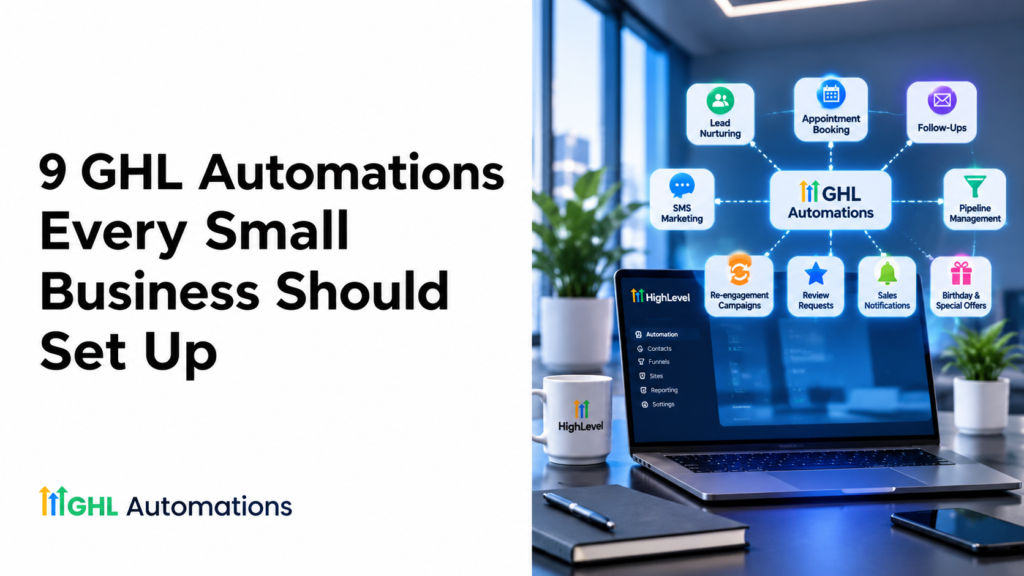
Let’s look at nine useful GHL automations that small businesses can implement.
1. How Do I Automatically Respond to New Leads in GoHighLevel?
Imagine someone visits your website, finds your service interesting, and submits an enquiry form.
What happens next?
If your business relies on someone manually checking the inbox and responding, the lead may have to wait. A delayed response can make the customer experience frustrating and create an opportunity for competitors to respond first.
How to automate new lead responses in GHL
Create a workflow using a form submission trigger.
You can configure the following actions:
- Create or update the contact record.
- Send an instant acknowledgement email or SMS.
- Notify the relevant team member.
- Assign the lead to a salesperson.
- Create a task for further follow-up.
Example automated message:
“Hi {{contact.first_name}}, thanks for contacting [Business Name]. We’ve received your enquiry and our team will get back to you shortly. Is there anything specific you’d like us to know?”
The merge field shown is illustrative; use the corresponding contact field available in your GHL message editor.
Example workflow
| Step | Workflow action |
|---|---|
| Trigger | Customer submits an enquiry form |
| Action 1 | Create or update contact |
| Action 2 | Send confirmation SMS |
| Action 3 | Send internal notification |
| Action 4 | Assign lead to team member |
| Action 5 | Create follow-up task |
Best for: Service businesses, consultants, agencies, real estate businesses, and companies receiving enquiries through websites or landing pages.
Why it matters: Every new enquiry gets acknowledged without requiring someone to manually send the first response.
2. How Do I Automate Lead Follow-Ups in GHL?
Have you ever received an enquiry, sent a proposal, and then forgotten to follow up?
It happens in businesses of every size. Some prospects need additional information, while others simply need a reminder before making a decision.
Automated lead follow-ups help you maintain communication without relying entirely on manual reminders.
How to create an automated lead follow-up workflow
Start with a trigger such as a new lead entering your CRM or a specific pipeline stage.
Then create a sequence of messages with appropriate delays and conditions.
Example GHL follow-up sequence:
| Timing | Automated action | Purpose |
|---|---|---|
| Immediately | Send enquiry confirmation | Acknowledge the enquiry |
| After 1 day | Send a helpful follow-up | Check whether assistance is needed |
| After 3 days | Share relevant service information | Address potential questions |
| After 5 days | Invite the prospect to book a call | Encourage the next step |
| After 7 days | Create a manual follow-up task | Allow personal outreach |
How do you stop follow-up messages after someone replies?
This is an important part of workflow design.
Use appropriate reply-related triggers, conditions, and workflow exit rules so that contacts who respond, book an appointment, or move to a different sales stage do not continue receiving irrelevant messages.
Best for: Marketing agencies, home service businesses, consultants, coaching businesses, and other companies with enquiry-based sales processes.
Why it matters: Leads receive consistent communication, while your team spends less time remembering who needs a follow-up.
3. Can GoHighLevel Automatically Text Missed Calls?
Yes. Missed-call text-back is one of the practical ways to use GoHighLevel for businesses that receive customer enquiries by phone.
Consider a cleaning company receiving calls while its team is working at a customer’s property. The owner cannot always answer immediately.
A missed call could mean a lost opportunity if the caller does not try again.
How does missed-call text-back automation work?
You can configure a workflow around the relevant missed-call event and communication setup in your GHL account.
A typical process looks like this:
- A customer calls your business number.
- The call is missed.
- The configured missed-call event triggers the response process.
- The customer receives an automated text message.
- Your team receives a notification to follow up.
Example automated message:
“Hi! Sorry we missed your call. Thanks for contacting [Business Name]. Are you looking for a quote or would you like to book a service? Simply reply here and we’ll be happy to help.”
Example workflow
| Step | Action |
|---|---|
| Trigger | Eligible missed-call event |
| Action 1 | Send automated SMS |
| Action 2 | Notify business owner |
| Action 3 | Create a follow-up task |
| Action 4 | Monitor customer response |
Important: Test missed-call behaviour with your actual phone configuration. Avoid duplicate text messages when multiple missed-call events or overlapping workflows are involved.
Best for: Cleaning companies, contractors, salons, clinics, repair businesses, and other businesses that depend on incoming calls.
Why it matters: You can acknowledge missed enquiries and give potential customers a simple way to continue the conversation.
4. How Do I Set Up Automatic Appointment Reminders in GHL?
Do customers book appointments and then forget to attend?
Missed appointments can waste valuable time, particularly when your business reserves specific time slots for consultations, treatments, or services.
GoHighLevel can help automate appointment confirmations and reminders through calendar and appointment-related workflows.
How to automate appointment reminders
Start with an appointment-related trigger and configure the actions according to your booking process.
A practical reminder sequence could be:
| Timing | Message |
|---|---|
| Immediately after booking | Appointment confirmation |
| 24 hours before | Appointment reminder |
| 1–2 hours before | Final reminder |
Example confirmation message:
“Hi {{contact.first_name}}, your appointment with [Business Name] is confirmed for {{appointment.start_time}}. We look forward to speaking with you!”
You can also include instructions for rescheduling or cancelling, where appropriate.
What else can you automate?
- Notify the assigned team member when an appointment is booked.
- Send confirmation details.
- Create internal preparation tasks.
- Trigger follow-ups after a completed appointment.
- Handle cancellation or rescheduling events.
Best for: Consultants, fitness studios, salons, clinics, coaching businesses, and appointment-based service providers.
Why it matters: Customers receive timely information, and staff spend less time sending individual reminders.
5. How Can I Automatically Qualify and Assign Leads in GoHighLevel?
Not every enquiry should go to the same salesperson or department.
For example, a digital marketing agency might receive enquiries for SEO, website development, paid advertising, and CRM automation.
Manually reviewing and assigning every enquiry can slow down the sales process.
How to automate lead qualification in GHL
Start by collecting useful information through your website form or landing page.
You might ask:
- Which service are you interested in?
- What is your approximate budget?
- Where is your business located?
- When would you like to get started?
Then use contact fields, tags, and conditional workflow branches to organise leads.
Example lead assignment workflow
| Lead requirement | Automated action |
|---|---|
| Interested in SEO | Apply SEO interest tag |
| Interested in website development | Apply website development tag |
| Interested in CRM automation | Apply CRM automation tag |
| Meets your qualification criteria | Assign to relevant salesperson |
| Does not meet the criteria | Route for further review |
You can also create different follow-up sequences based on the lead’s answers.
Best for: Agencies, consultants, real estate businesses, education providers, and companies with multiple services.
Why it matters: Leads reach the appropriate team, and your business can deliver more relevant communication.
6. How Do I Automatically Update My GHL Sales Pipeline?
Do you manually move contacts between sales stages every time something happens?
This can become difficult when multiple people manage enquiries and opportunities.
An outdated pipeline makes it harder to understand which leads have been contacted, which proposals need follow-up, and which deals are ready to close.
How to automate GHL pipeline updates
GoHighLevel workflows can work with opportunities and pipeline-related actions.
For example, when a qualified lead submits an enquiry, a workflow can create an opportunity and assign it to the appropriate user.
Other workflows can update opportunity information based on relevant events in your sales process.
Example pipeline automation:
| Sales pipeline stage | Possible automation |
|---|---|
| New Lead | Create opportunity and notify salesperson |
| Contacted | Create follow-up task |
| Appointment Booked | Send confirmation |
| Proposal Sent | Schedule proposal follow-up |
| Won | Start customer onboarding |
| Lost | Apply an appropriate status or re-engagement tag |
The exact automation should reflect your sales process rather than moving opportunities through stages without checking whether the relevant event has actually occurred.
For more information, see HighLevel’s official guide to setting up pipelines and opportunities.
Best for: Sales teams, marketing agencies, B2B companies, consultants, and service businesses.
Why it matters: Your CRM becomes easier to manage, and team members can see which opportunities require attention.
7. Can GoHighLevel Automate Customer Onboarding?
Getting a new customer is exciting, but what happens immediately after the sale?
You may need to send a welcome email, share instructions, collect information, schedule a meeting, and notify your internal team.
If these steps are handled manually, onboarding can become inconsistent.
How to create a customer onboarding workflow
Set up a workflow that begins when an opportunity reaches your defined Won stage or another suitable customer-onboarding trigger.
Then configure the following actions:
- Send a personalised welcome email.
- Share important next steps.
- Notify the assigned team member.
- Create internal onboarding tasks.
- Send appointment or project details.
- Schedule an appropriate check-in message.
Example:
A digital marketing agency closes a new client.
The GHL workflow automatically sends a welcome email, shares an onboarding questionnaire, notifies the account manager, and creates a task to arrange the kickoff meeting.
Best for: Agencies, coaching businesses, consultants, subscription services, and professional service providers.
Why it matters: Customers receive a more consistent onboarding experience, while your team has a clearer process to follow.
8. How Do I Automatically Ask Customers for Google Reviews Using GHL?
Many satisfied customers are happy to share their experiences, but they may not think about leaving a review unless you ask.
A review request workflow can make this process more consistent.
How to automate review requests in GHL
Create a workflow that starts after a completed appointment, purchase, or service delivery.
For example:
| Step | Automated action |
|---|---|
| Trigger | Service marked complete |
| After an appropriate delay | Send review request |
| If no response | Send one polite reminder |
| When request is completed | Stop further reminders, where tracking permits |
Example review request message:
“Hi {{contact.first_name}}, thank you for choosing [Business Name]. We hope you had a great experience. Would you mind sharing your feedback? Your review helps us improve and helps other customers make informed decisions.”
Add your Google review link to the message.
Important: Ask customers for honest feedback. Do not offer incentives in exchange for positive reviews, and follow Google’s guidelines for representing your business.
Best for: Local service businesses, restaurants, salons, clinics, fitness studios, and other customer-facing businesses.
Why it matters: You establish a repeatable process for requesting customer feedback.
9. How Do I Reactivate Old Leads Using GoHighLevel Automations?
Your CRM may contain hundreds of contacts who enquired in the past but never became customers.
Some may have been interested but were not ready to purchase. Others may have stopped responding after receiving a quote.
Instead of allowing these contacts to remain inactive forever, you can create a suitable re-engagement workflow.
How to build an old-lead reactivation workflow
First, identify contacts who meet your inactivity criteria.
For example:
- No response within a defined period.
- No recent appointment.
- An opportunity marked as lost.
- No purchase or interaction within a specified timeframe.
Then create a workflow that sends a relevant message and records the contact’s response.
Example re-engagement sequence:
| Timing | Action |
|---|---|
| Day 1 | Send a personalised check-in |
| Day 3 | Share a relevant service update |
| Day 6 | Invite the contact to reconnect |
| Day 8 | Create a manual follow-up task if appropriate |
Example message:
“Hi {{contact.first_name}}, you previously contacted us about [Service]. We wanted to check whether you still need assistance. If your plans have changed, that’s absolutely fine. Just let us know.”
Make sure your re-engagement messages comply with applicable consent, privacy, and messaging requirements. Exclude unsubscribed contacts and honour opt-out requests.
Best for: Real estate agencies, fitness studios, home service businesses, consultants, and businesses with an existing CRM database.
Why it matters: You can reconnect with relevant existing prospects instead of focusing exclusively on generating new enquiries.
Which GHL Automation Should Your Small Business Set Up First?
You do not need to build all nine workflows at once.
Start with the processes that create the biggest delays, customer experience issues, or missed opportunities.
| Your business challenge | Automation to start with |
|---|---|
| New enquiries receive delayed responses | New lead response |
| Salespeople forget to follow up | Lead follow-up |
| Customers call when your team is unavailable | Missed-call text-back |
| Customers forget appointments | Appointment reminders |
| Leads are assigned manually | Lead qualification and assignment |
| Sales records are outdated | Pipeline automation |
| New customers receive inconsistent instructions | Customer onboarding |
| Customers rarely leave reviews | Review requests |
| Old enquiries are forgotten | Lead re-engagement |
Our recommendation: If your business generates enquiries online or by phone, start with new lead response, automated follow-ups, and missed-call text-back. These address common gaps in lead management before you move on to more advanced workflows.
How Do You Set Up GHL Automations Without Creating Workflow Problems?
Building an automation is not simply about adding triggers and actions. It is about making sure the entire process works correctly.
Poorly configured workflows can send duplicate messages, update the wrong records, or continue communicating with customers after they have already taken the next step.
Here are six practices to follow.
1. Give Every Workflow a Clear Purpose
Before creating a workflow, define the problem it should solve. Avoid creating multiple workflows that perform the same task without a clear reason.
2. Choose the Correct Trigger
A workflow should start only when the intended event occurs. Review your trigger settings and test the workflow using realistic scenarios.
3. Use Conditions and Branches
Use conditions to separate different customer journeys. For example, someone who has booked an appointment should not continue receiving messages asking them to book one.
4. Prevent Duplicate Messages
Review workflow re-entry settings, overlapping triggers, delays, and exit conditions. A contact should not receive the same communication from multiple workflows unnecessarily.
5. Test Every Workflow Before Publishing
Use test contacts to check messages, contact updates, pipeline actions, notifications, and workflow timing.
6. Monitor and Improve Your Automations
Review workflow execution and business outcomes regularly. If a process is not working as expected, identify the problem before adding more automation.
You can explore the available triggers and actions in HighLevel’s official documentation:
DIY GHL Automations vs Hiring a GHL Automation Expert
Can you build GHL automations yourself? Yes. Many common workflows can be created using the visual workflow builder without coding.
However, more complex setups involving multiple pipelines, integrations, conditional logic, and customer journeys require careful planning and testing.
| DIY setup | Professional GHL automation support |
|---|---|
| You learn and configure workflows yourself | Workflows are planned around your business requirements |
| You handle troubleshooting | Technical support helps investigate configuration issues |
| You manage integrations and testing | Integration and testing support can be provided |
| Suitable for simple automation needs | Useful for more complex business processes |
| Requires your own time | Helps reduce the time you spend on setup |
If you only need a basic welcome message or appointment reminder, a DIY setup may be enough.
If your business needs connected workflows, custom pipelines, lead assignment, multiple communication sequences, or ongoing optimisation, professional support may be worth considering.
Explore our GoHighLevel CRM and automation services to see how we support business owners and white-label agencies with workflow automation, CRM optimisation, snapshot customisation, and technical support.
Frequently Asked Questions About GHL Automations
1. What are the best GoHighLevel automations for small businesses?
Some useful starting points include new lead response, automated follow-ups, missed-call text-back, appointment reminders, lead assignment, and pipeline updates. The best options depend on how your business receives and manages customer enquiries.
2. Can GoHighLevel automatically send text messages?
Yes. GoHighLevel workflows can send SMS messages when configured triggers and conditions are met. Your messaging setup, applicable permissions, and available SMS services must be configured correctly.
3. How do I automate Facebook leads in GoHighLevel?
You can connect supported Facebook lead sources to GoHighLevel and configure a workflow to respond when a new lead is received. The workflow can create or update a contact, apply tags, send a notification, and start a follow-up sequence.
4. Can I automate appointment reminders in GoHighLevel?
Yes. You can use appointment-related triggers to send booking confirmations and reminders at selected intervals. You can also configure workflows for relevant cancellation and rescheduling events.
5. How do I stop duplicate follow-up messages in GHL?
Review workflow triggers, re-entry settings, conditions, and exit rules. Check for overlapping workflows that send similar messages. Test with sample contacts before publishing changes.
6. Do I need coding skills to create GHL automations?
Most basic workflows can be built through the visual Workflow Builder without coding. More advanced integrations or custom requirements may need webhooks, APIs, or technical assistance.
7. How many workflows should a small business create?
There is no fixed number. Start with the workflows that solve your most important operational problems. Add more as your customer journey and business requirements develop.
Final Thoughts: Start With the Tasks Your Business Repeats Every Day
The purpose of automation is not to make every customer interaction feel robotic. It is to reduce repetitive work and help your team respond more consistently.
Whether you need to respond to new enquiries, follow up with prospects, manage appointments, update your sales pipeline, or reconnect with old leads, GHL automations can help create a more organised business process.
Start with two or three workflows that solve real problems. Test them, monitor their performance, and improve them as your business grows.
Need Help Setting Up GHL Automations?
You do not have to figure out every workflow yourself.
At GHL Automations, we help business owners and agencies with GoHighLevel CRM setup, workflow automation, pipeline management, snapshot customisation, and ongoing technical support.
Whether you need a single workflow or a more complete GoHighLevel automation system, we can help you plan and implement a setup around your business requirements.
Explore our GoHighLevel services or book a free consultation to discuss your automation requirements.