
Every missed call, delayed response, or forgotten follow-up can cost your business valuable revenue. Modern customers expect instant responses and seamless scheduling experiences. If they can’t book with you immediately, they’ll often move on to a competitor.
That’s why businesses are increasingly turning to appointment booking software and advanced marketing automation platforms to streamline their customer journey.
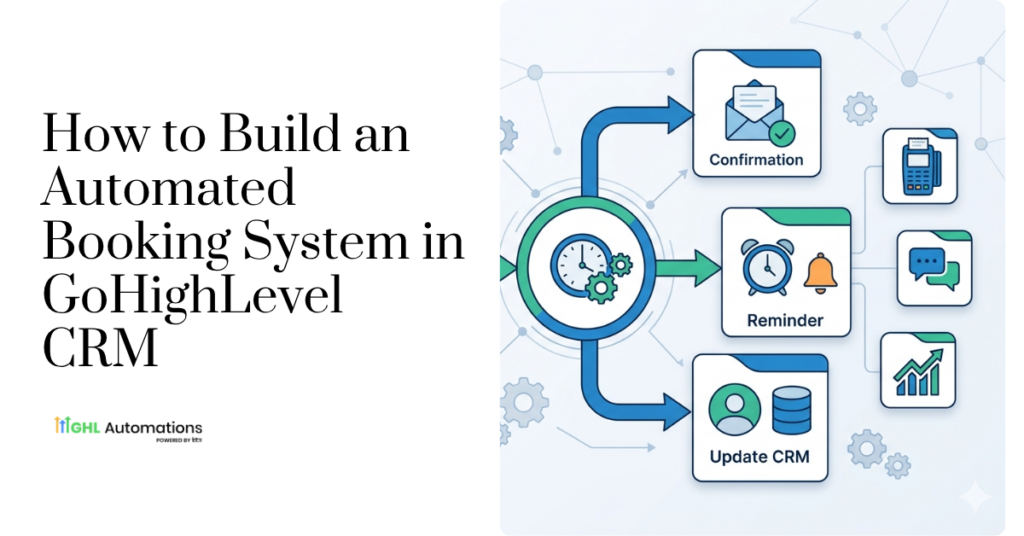
With GoHighLevel CRM, you can create a fully automated booking system that captures leads, schedules appointments, sends reminders, and follows up automatically—without requiring manual intervention.
In this guide, you’ll learn exactly how to build an automated booking system using GoHighLevel CRM and how it can help your business increase conversions while saving time.
Why Your Business Needs Automated Appointment Booking
Traditional scheduling methods create friction for potential customers:
- Phone calls go unanswered
- Emails get lost in crowded inboxes
- Scheduling conflicts occur frequently
- Staff spend hours managing calendars
- Leads lose interest while waiting for responses
An automated booking system solves these problems by allowing prospects to book appointments instantly whenever they’re ready.
Key Benefits
– Reduce missed opportunities
– Eliminate back-and-forth scheduling
– Improve customer experience
– Increase appointment show-up rates
– Automate reminders and follow-ups
– Scale operations without hiring additional staff
Why Choose GoHighLevel CRM for Appointment System?
Unlike standalone appointment booking software, GoHighLevel CRM combines scheduling, CRM, marketing automation, SMS marketing, email campaigns, and lead nurturing into one platform.
This means every booking becomes part of a complete automated sales process.
With GoHighLevel CRM, you can:
- Create unlimited booking calendars
- Automate appointment confirmations
- Send SMS and email reminders
- Trigger follow-up campaigns
- Manage leads from one dashboard
- Track customer interactions
- Integrate with Google Calendar and Outlook
Instead of juggling multiple tools, everything operates from a single system.
Step 1: Create Your Booking Calendar
The foundation of any automated scheduling system is a properly configured calendar.
Inside GoHighLevel CRM:
Configure:
- Available days and hours
- Appointment duration
- Buffer times
- Team availability
- Time zone settings
- Meeting locations
You can create separate calendars for:
- Consultations
- Discovery calls
- Sales meetings
- Service appointments
- Client onboarding sessions
This ensures prospects only see available times that fit your schedule.
Step 2: Build a High-Converting Booking Page
Your booking page should be simple, professional, and conversion-focused.
Include:
Essential Elements
- Clear headline
- Brief description of the meeting
- Benefits of booking
- Calendar widget
- Contact form
- Trust indicators
- Testimonials
Example:
Book Your Free Strategy Session
Discover opportunities to increase leads, automate follow-ups, and improve conversions with a personalized consultation.
A clean booking experience increases appointment completion rates significantly.
Step 3: Automate Appointment Confirmations
Once someone books, immediate confirmation is critical.
Using GoHighLevel CRM, create automated workflows that instantly send:
Email Confirmation
Include:
- Appointment details
- Date and time
- Meeting link
- Calendar invite
- Preparation instructions
SMS Confirmation
A quick text message ensures customers receive immediate acknowledgment.
Example:
“Hi John, your appointment has been successfully booked for Friday at 2:00 PM. We look forward to speaking with you.”
This reduces uncertainty and improves customer confidence.
Step 4: Set Up Automated Reminder Sequences
One of the biggest challenges businesses face is appointment no-shows.
Automated reminders dramatically improve attendance rates.
Recommended reminder sequence:
24 Hours Before
Email reminder
2 Hours Before
SMS reminder
15 Minutes Before
Final reminder message
With GoHighLevel CRM, these reminders run automatically without any manual effort.
Step 5: Create Follow-Up Workflows
The customer journey shouldn’t end after the appointment is scheduled.
This is where marketing automation platforms like GoHighLevel CRM become incredibly powerful.
Automate follow-ups based on:
Appointment Status
- Confirmed
- Rescheduled
- Cancelled
- No-show
- Completed
For example:
If a lead misses an appointment:
- Send a follow-up email
- Offer rescheduling options
- Send reminder texts
- Trigger a re-engagement sequence
This helps recover opportunities that would otherwise be lost.
Step 6: Automate Lead Nurturing Before the Meeting
Keep prospects engaged between booking and the actual appointment.
Send:
- Educational emails
- Case studies
- Success stories
- Video content
- FAQs
- Testimonials
This builds trust and prepares leads for productive conversations.
Many businesses see significantly higher conversion rates simply by nurturing prospects before meetings.
Step 7: Automate Post-Appointment Actions
After the meeting, automation can continue driving results.
Depending on the outcome:
If They Become a Customer
Trigger:
- Welcome emails
- Onboarding workflows
- Service delivery automations
If They’re Not Ready Yet
Trigger:
- Long-term nurture campaigns
- Monthly newsletters
- Educational sequences
This ensures no lead falls through the cracks.
Advanced Automation Strategies
Businesses using GoHighLevel CRM often implement advanced workflows such as:
Missed Call Text Back
Automatically text anyone who calls but doesn’t reach your team.
Round Robin Scheduling
Distribute appointments evenly among sales representatives.
Automated Review Requests
Collect reviews after successful appointments.
Multi-Channel Follow-Ups
Combine:
- SMS
- Voicemail drops
- Messenger messages
These strategies maximize engagement and improve conversion rates.
Common Mistakes to Avoid
When implementing appointment booking software, avoid these errors:
Overcomplicated Forms
Ask only for essential information.
No Reminder Sequence
This increases no-shows.
Poor Mobile Experience
Most appointments are booked on mobile devices.
Lack of Follow-Up Automation
Many businesses stop communicating after the booking.
No Lead Nurturing
Prospects often need additional touchpoints before buying.
The Business Impact of Automated Booking
Companies that automate scheduling typically experience:
- Faster response times
- Higher booking rates
- Better customer experiences
- Fewer no-shows
- Increased sales conversions
- Reduced administrative workload
Most importantly, automation allows your team to focus on serving customers instead of managing calendars.
Final Thoughts
A modern business needs more than basic scheduling tools. It needs a complete system that captures leads, books appointments, sends reminders, nurtures prospects, and follows up automatically.
That’s exactly what GoHighLevel CRM delivers.
By combining powerful appointment booking software capabilities with advanced marketing automation platforms functionality, businesses can create a seamless customer journey that drives more bookings and more revenue.
If you’re ready to automate your scheduling process and build high-converting workflows, visit GHL Automations Tech and discover how custom GoHighLevel automation solutions can help your business scale faster.