

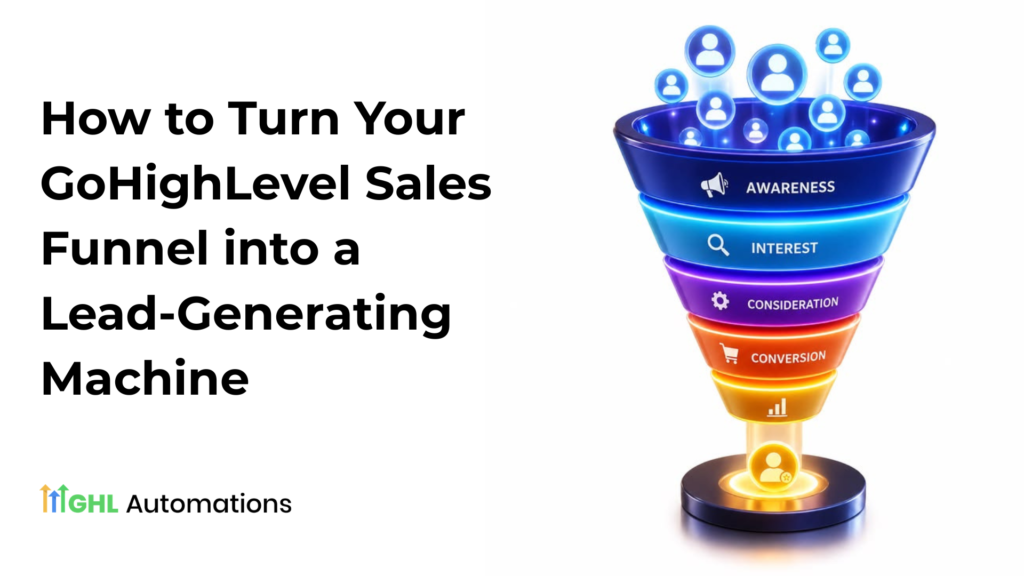
Getting traffic to your website is only half the battle. The real challenge is turning those visitors into qualified leads and eventually paying customers.
Many businesses invest in advertising, social media campaigns, and website development but still struggle to generate consistent enquiries. Why? Because attracting potential customers means very little if there is no proper system to capture, nurture, and convert them.
This is where GoHighLevel (GHL) can make a difference.
GoHighLevel combines funnel building, CRM management, marketing automation, appointment scheduling, and communication tools in one platform. Instead of managing separate tools for landing pages, lead tracking, and follow-ups, businesses can connect these activities through a structured sales funnel.
But simply building a funnel isn’t enough. You need to make sure every step encourages prospects to take action.
In this guide, we’ll explore how to turn your GoHighLevel sales funnel into a lead-generating machine using smart automation, strategic funnel design, and consistent follow-ups.
What Is a GoHighLevel Sales Funnel?
A sales funnel is a structured journey that guides potential customers from their first interaction with your business to making a purchase or booking a service.
With GoHighLevel, you can create landing pages, capture leads through forms and surveys, organize contacts in your CRM, automate follow-ups, and track opportunities through different sales stages.
A typical GoHighLevel sales funnel follows this journey:
- Awareness: A potential customer discovers your business through Google, social media, paid advertisements, or referrals.
- Interest: They visit your landing page and explore your services or offers.
- Lead Capture: They submit a form, request a quote, download a resource, or book a consultation.
- Nurturing: Automated emails, SMS messages, and personalized communication help build trust.
- Conversion: The prospect books an appointment, purchases a service, or becomes a customer.
- Retention: Follow-ups, feedback requests, and ongoing communication encourage repeat business.
The goal is to make this journey as smooth and consistent as possible.
1. Start With a Clear Funnel Strategy
Before opening the GoHighLevel Funnel Builder, decide what you want your funnel to achieve.
A common mistake businesses make is creating landing pages without a defined conversion goal. They add multiple offers, unnecessary information, and too many calls to action, leaving visitors unsure about what to do next.
Start by identifying one primary objective.
For example:
- A fitness business may want visitors to book a free trial session.
- A real estate agency may want to generate property enquiries.
- A marketing agency may want prospects to schedule a discovery call.
- A coaching business may want visitors to register for a webinar.
- A home service company may want customers to request a free quote.
Once you identify the objective, build your funnel around that action.
Pro Tip: Give every funnel one primary conversion goal. If you’re promoting a free consultation, make booking that consultation the most visible action throughout the page.
2. Build a Landing Page That Converts Visitors
Your landing page is often the first major interaction a potential customer has with your business. It needs to communicate your offer quickly and make taking action easy.
GoHighLevel allows you to create funnels using its drag-and-drop builder, templates, or AI-assisted funnel creation options.
To create your funnel:
- Log in to your GoHighLevel account.
- Navigate to Sites → Funnels.
- Select the option to create a new funnel.
- Choose a blank layout, template, or available AI-assisted option.
- Customize the page according to your brand and offer.
- Add your lead capture form or booking element.
- Preview the page and save your changes.
Essential Elements of a High-Converting Landing Page
A compelling headline: Explain the main benefit visitors will receive. Avoid generic headlines that don’t communicate a clear value proposition.
A benefit-focused description: Tell visitors how your service solves their problem instead of simply listing features.
A visible call to action: Use clear CTAs such as “Book Your Free Consultation,” “Get a Free Quote,” or “Start Your Free Trial.”
Social proof: Include genuine testimonials, customer feedback, case studies, or relevant business credentials.
A simple layout: Avoid overwhelming visitors with unnecessary sections, distracting elements, or multiple competing offers.
Mobile-friendly design: Make sure your landing page, forms, and buttons work smoothly on smartphones and tablets.
Remember, your landing page doesn’t need to say everything about your business. It needs to give the right visitor enough information and confidence to take the next step.
3. Create Lead Capture Forms That Collect the Right Information
Getting visitors to your landing page is important, but capturing their information is what allows you to continue the conversation.
GoHighLevel lets you build forms and surveys directly within its website and funnel-building experience.
However, don’t make the mistake of asking visitors to complete a lengthy form before they have established trust in your business.
Collect only the information you genuinely need.
For example, a home service business could ask for:
- Full name
- Email address
- Phone number
- Type of service required
- Preferred appointment date
A marketing agency might only need a name, business email, website URL, and primary marketing challenge.
How to Optimize Your Lead Capture Forms
- Keep the number of fields relevant to your offer.
- Use clear field labels.
- Explain what happens after submission.
- Include a noticeable submit button.
- Make the form easy to complete on mobile devices.
- Test every submission to ensure the information reaches your CRM correctly.
Pro Tip: Consider using a multi-step form or survey when you need more detailed information. Asking a few relevant questions at a time can make the experience easier to navigate.
4. Connect Your Funnel With GoHighLevel CRM
Imagine receiving 50 enquiries from your website but having no clear way to identify who has been contacted, who needs a follow-up, and who is ready to purchase.
This is where CRM integration becomes essential.
GoHighLevel connects your funnel activity with its CRM, allowing you to organize contact information and manage leads from one central location.
When someone submits a form, their information can be added to your contact database and used to trigger the next stage of your sales process.
Set Up a Sales Pipeline
Create pipeline stages that reflect how your business actually handles prospects.
For example:
| Pipeline Stage | What Happens |
|---|---|
| New Lead | A prospect submits a form or enquiry. |
| Contacted | Your team reaches out. |
| Qualified | The prospect meets your service requirements. |
| Appointment Booked | A consultation or meeting is scheduled. |
| Proposal Sent | The prospect receives an offer or quotation. |
| Won | The prospect becomes a customer. |
| Lost | The opportunity does not convert. |
You can also use GoHighLevel workflows to create or update opportunities automatically when specific events occur.
This makes it easier to track leads, identify sales opportunities, and understand where prospects are in the buying journey.
5. Automate Lead Follow-Ups With GoHighLevel Workflows
This is where your GoHighLevel sales funnel can become much more powerful.
One of the biggest reasons businesses lose potential customers is delayed or inconsistent follow-ups.
A prospect submits an enquiry, waits for a response, and eventually contacts a competitor who replies faster.
Instead of depending entirely on manual follow-ups, you can create automated workflows that respond when specific actions take place.
Example: Automated New Lead Follow-Up Workflow
Suppose someone submits a consultation request through your landing page.
You can create a workflow like this:
| Trigger / Timing | Automated Action |
|---|---|
| Form submitted | Add or update the contact in CRM. |
| Immediately | Send a confirmation email. |
| Immediately | Send an SMS acknowledging the enquiry, where consent and applicable messaging rules allow. |
| After a short delay | Notify the sales team about the new lead. |
| After 1 day | Send a helpful follow-up if the prospect hasn’t booked. |
| After 3 days | Share a relevant case study or service benefit. |
| After 5 days | Send a final follow-up with a clear CTA. |
The workflow should also include conditions.
For example:
- If the prospect books an appointment, stop the lead-nurturing sequence.
- If the prospect replies, notify the assigned team member.
- If the prospect remains unresponsive, move them into an appropriate longer-term nurturing sequence.
How to Create This Workflow in GoHighLevel
- Open Automation → Workflows.
- Create a new workflow.
- Select Form Submitted as the trigger.
- Choose the specific form connected to your funnel.
- Add an email or SMS action.
- Include wait steps to control the timing of follow-ups.
- Add If/Else conditions to create different communication paths.
- Configure appointment and reply-related actions.
- Save, publish, and test your workflow.
The key is to make your communication timely and relevant rather than sending the same generic message to every lead.
6. Use Personalized Email and SMS Campaigns to Nurture Leads
Not every prospect is ready to purchase immediately.
Some people need more information, while others are comparing service providers or waiting for the right time to make a decision.
This is why lead nurturing is such an important part of your sales funnel.
GoHighLevel allows you to automate email and SMS communication based on lead activity, tags, form submissions, and other workflow triggers.
Instead of sending everyone the same message, segment your contacts according to their interests and behaviour.
Example of a Lead Nurturing Sequence
Email 1: Welcome and Confirmation
Thank the prospect for their enquiry and explain what they can expect next.
Email 2: Provide Value
Share a useful guide, resource, or answer to a common question related to their requirements.
SMS: Friendly Follow-Up
Send a short message inviting them to schedule a consultation or reply with their questions.
Email 3: Build Trust
Share a relevant customer success story, genuine testimonial, or explanation of your process.
Final Follow-Up: Encourage Action
Invite the prospect to take the next step without creating unnecessary pressure.
The objective isn’t to bombard people with messages. It’s to stay relevant, answer questions, and make it easier for potential customers to choose your business.
Always configure communication preferences, consent, and opt-out handling appropriately.
7. Automate Appointment Booking and Reminders
For service-based businesses, generating an enquiry is only one part of the sales process. Getting the prospect to attend a consultation or appointment is equally important.
GoHighLevel’s calendar functionality can be connected to your funnel, allowing visitors to schedule appointments without unnecessary back-and-forth communication.
For example, after someone submits a consultation form, you can direct them to a booking page where they can choose an available time.
You can then automate:
- Appointment confirmation emails.
- Booking confirmation SMS messages.
- Appointment reminders.
- Internal notifications for team members.
- Follow-up messages after the appointment.
- Rescheduling or cancellation communication.
This is particularly useful for fitness studios, real estate agencies, consultants, marketing agencies, healthcare practices, and home service businesses.
Pro Tip: Create separate booking calendars for different services or team members when needed. This helps keep your appointment process organized.
8. Use Lead Segmentation to Deliver More Relevant Follow-Ups
Not all leads have the same requirements, budget, or purchase intent.
For example, a person requesting a free consultation may need a different follow-up experience from someone requesting an urgent service quote.
GoHighLevel allows you to organize contacts using tags, custom fields, and workflow conditions.
You can segment leads based on:
- Service or product interest.
- Lead source.
- Industry.
- Location.
- Enquiry type.
- Appointment status.
- Purchase readiness.
Example: Segmenting Leads by Service Interest
Imagine a digital marketing agency offering SEO, paid advertising, and CRM automation.
When a visitor submits an enquiry, their selected service can determine which workflow they enter.
- SEO enquiry → Send relevant SEO resources and case studies.
- Paid advertising enquiry → Share information about campaign strategy and reporting.
- CRM automation enquiry → Explain workflow automation and lead management benefits.
This creates a more relevant customer experience and prevents prospects from receiving messages that have nothing to do with their needs.
9. Track Funnel Performance and Identify Conversion Gaps
A sales funnel should never be treated as a one-time project.
Even a well-designed funnel can have problems that affect its performance.
You might attract visitors but receive very few enquiries. You might generate plenty of leads but struggle to book appointments. Or you might get bookings that rarely turn into paying customers.
Without tracking the right metrics, identifying the problem becomes difficult.
Important Sales Funnel Metrics to Monitor
| Metric | What It Tells You |
|---|---|
| Landing Page Visitors | How many people visit your funnel. |
| Conversion Rate | How many visitors complete the desired action. |
| Cost Per Lead | How much you spend to acquire each lead. |
| Lead-to-Appointment Rate | How many leads book appointments. |
| Appointment Show Rate | How many booked prospects attend. |
| Lead-to-Customer Rate | How many leads become paying customers. |
| Cost Per Acquisition | How much it costs to acquire a customer. |
For example, if your landing page receives 1,000 visitors and generates 50 enquiries, your lead conversion rate is 5%.
If those 50 enquiries generate 10 customers, your lead-to-customer conversion rate is 20%.
These figures help you understand which parts of your funnel need improvement.
Use the available GoHighLevel analytics, funnel reporting, CRM records, and external tracking tools where appropriate to monitor performance.
What Should You Optimize?
- If visitors aren’t submitting forms, review your headline, offer, and CTA.
- If leads aren’t responding, improve your follow-up messaging.
- If prospects aren’t booking appointments, make the booking process easier.
- If appointments aren’t converting, review your sales process and qualification strategy.
- If advertising costs are high, review your targeting, landing page experience, and lead quality.
The goal is to improve the entire customer journey, not just increase the number of form submissions.
10. Test, Improve, and Scale Your Sales Funnel
Once your funnel is live, don’t assume everything is working perfectly.
Regular testing helps identify technical issues, improve messaging, and uncover opportunities to increase conversions.
Before launching, test the entire journey from a visitor’s perspective.
Your checklist should include:
- Landing page loads correctly on desktop and mobile.
- All CTA buttons lead to the correct destination.
- Forms capture and save contact information.
- Contacts appear correctly in the CRM.
- Workflow triggers activate as expected.
- Email and SMS messages are delivered correctly.
- Appointment booking works properly.
- Pipeline stages update as intended.
- Tracking and analytics are configured.
- Opt-out and communication preferences are respected.
After launch, review your funnel performance regularly.
Experiment with different headlines, CTAs, page layouts, offers, and follow-up sequences. Change one important element at a time where possible so you can understand what actually improves results.
A successful funnel is built through continuous optimization.
Common Mistakes to Avoid When Building a GoHighLevel Sales Funnel
Even with powerful automation features, a poorly planned funnel can still underperform.
Here are some common mistakes to watch out for:
1. Building a funnel without a clear objective
Every funnel should have a defined purpose. Don’t try to generate enquiries, sell multiple services, and promote unrelated offers on the same landing page.
2. Making forms unnecessarily complicated
Too many fields can discourage visitors from completing your form. Ask for information that helps you qualify and serve the prospect.
3. Ignoring follow-ups
Capturing a lead without a follow-up strategy creates missed opportunities. Set up automated responses and clear processes for your sales team.
4. Sending generic automated messages
Automation should improve communication, not make it feel robotic. Use relevant information and personalize messages according to the prospect’s interests.
5. Forgetting to test workflows
An automation that doesn’t trigger correctly can leave leads waiting without a response. Test your workflows with fresh test contacts before publishing.
6. Focusing only on lead volume
More leads don’t always mean more revenue. Track lead quality, appointments, sales, and acquisition costs to understand the real performance of your funnel.
Final Thoughts: Make Your GoHighLevel Funnel Work Smarter
A successful sales funnel does much more than collect contact details. It creates a connected system that attracts potential customers, captures their information, builds relationships, and guides them towards taking action.
With GoHighLevel, businesses can bring landing pages, CRM management, automated follow-ups, appointment scheduling, and sales pipeline tracking together in one platform.
The real opportunity lies in connecting these features strategically.
Start with a clear funnel objective, create a landing page that communicates value, capture the right information, automate timely follow-ups, and continuously improve your conversion process.
Remember: Your funnel shouldn’t just generate leads. It should help move those leads towards becoming customers.
Want to Build a Smarter Sales Funnel With GoHighLevel?
Setting up a GoHighLevel funnel is one thing. Connecting it with the right CRM workflows, automated follow-ups, appointment systems, and lead-nurturing strategies is what makes it more effective.
At GHL Automations, we help businesses make better use of GoHighLevel through CRM setup, workflow automation, sales funnel development, and business process integration.
Whether you’re starting from scratch or improving an existing funnel, the right automation strategy can help reduce manual work and create a more consistent lead management process.
Ready to make your GoHighLevel system work smarter?
Visit GHL Automations to explore how smarter GHL automation can support your business growth.